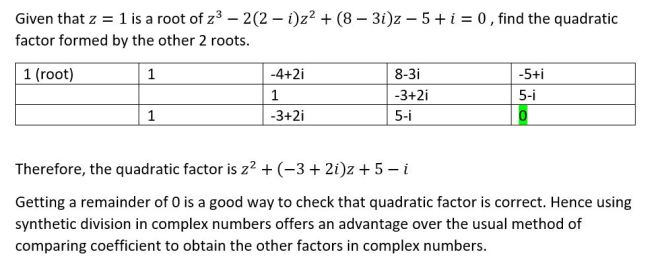
Synthetic division in complex numbers
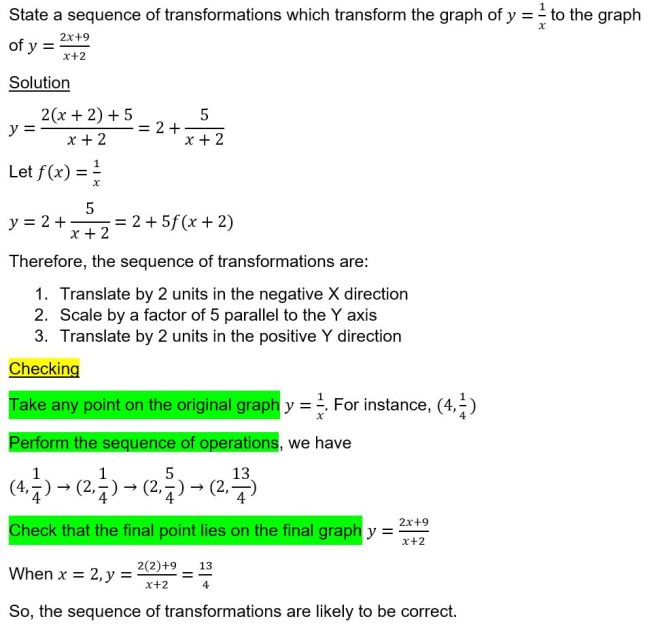
Example 1
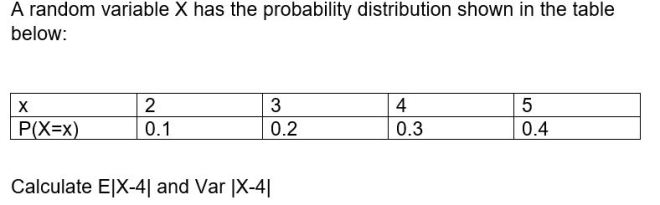
Solution
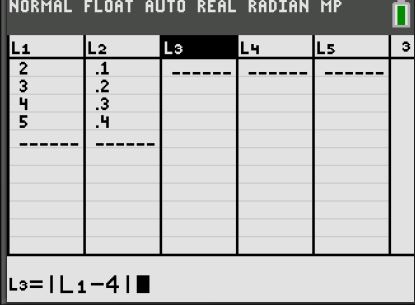
Enter the data in the GC as follows:
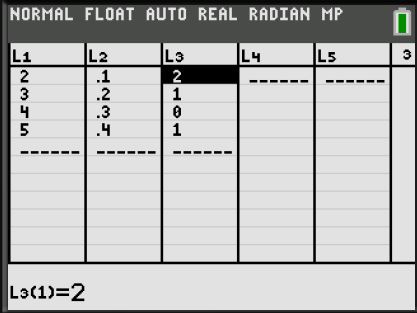
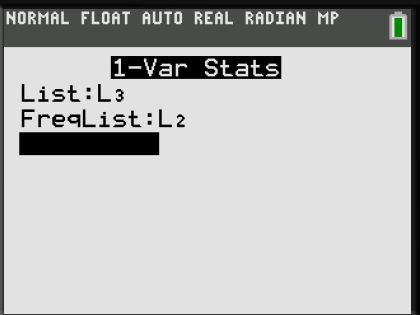
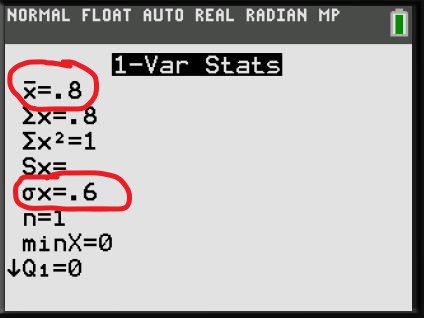
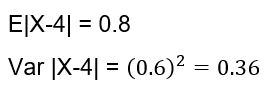
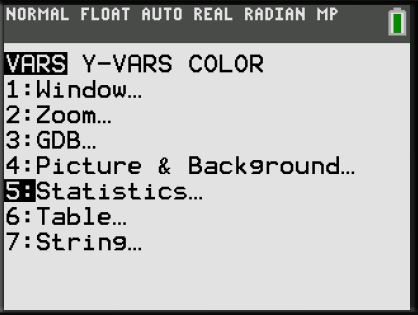
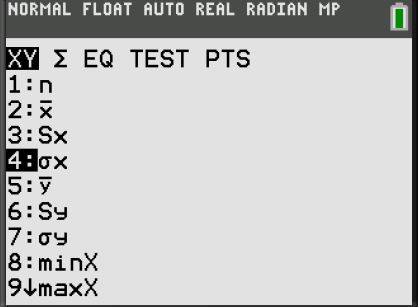
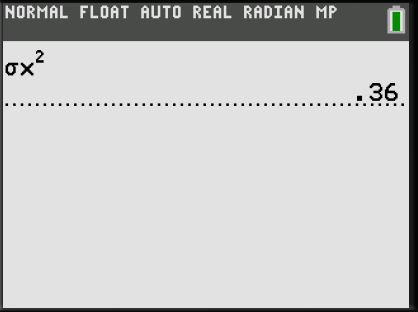
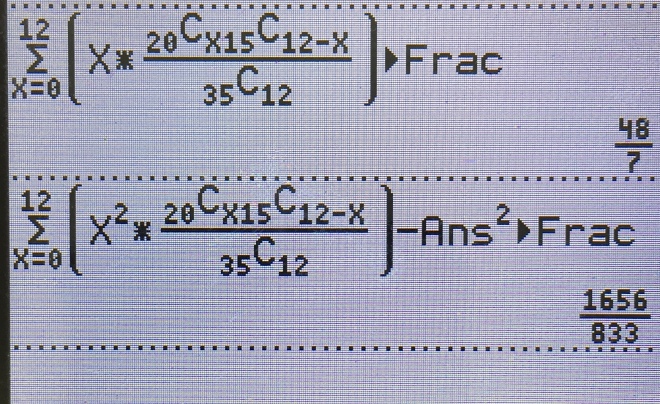
Variance can also calculated using the GC as follows:
Example 2

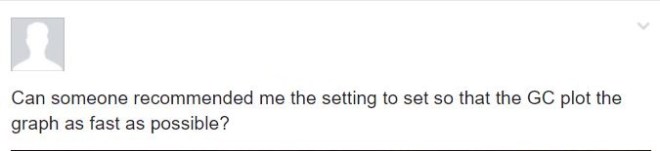
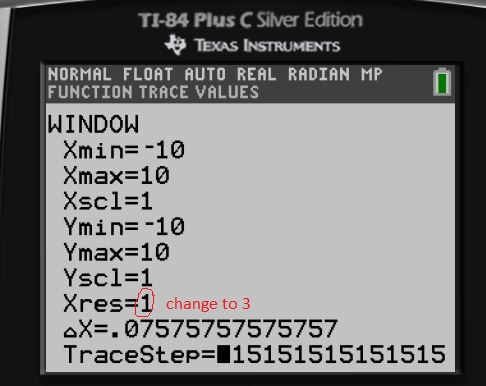
Method 1: Change Xres to 3
The Xres button refers to pixel resolution (1 through 8). At Xres = 1, functions are evaluated and graphed at each pixel on the x-axis. At Xres = 8, functions are evaluated and graphed at every eighth pixel along the x-axis. Small Xres values improve graph resolution but may cause the calculator to draw graphs more slowly. Setting Xres to 3 provides good balance between speed and resolution.
Example
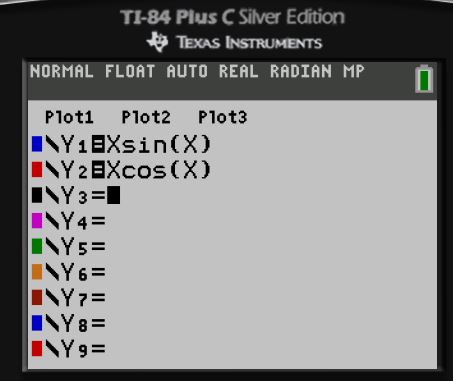
Xres= 1

Time taken to plot= 23.4 s
Xres= 3
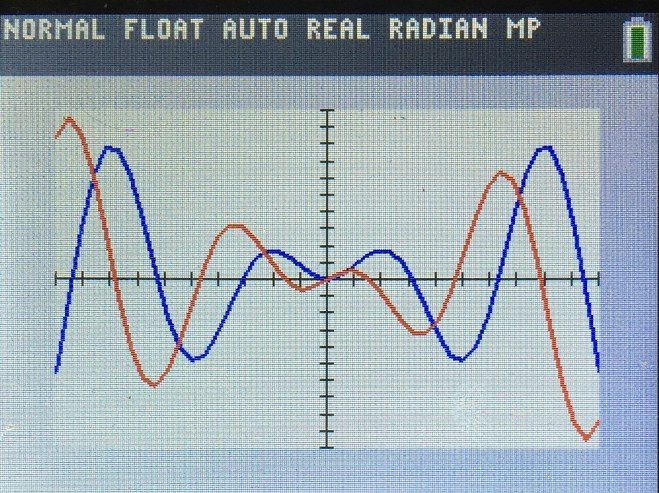
Time taken to plot= 3.6 s
Savings of almost 20 seconds! Which is crucial in exams
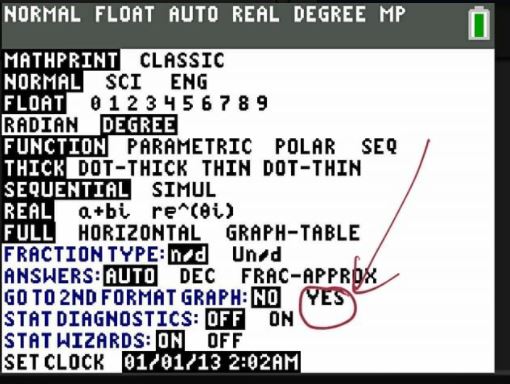
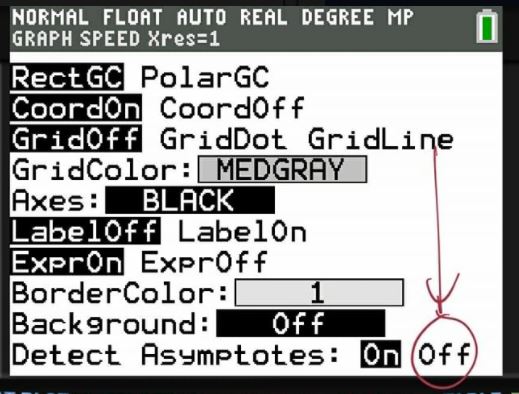
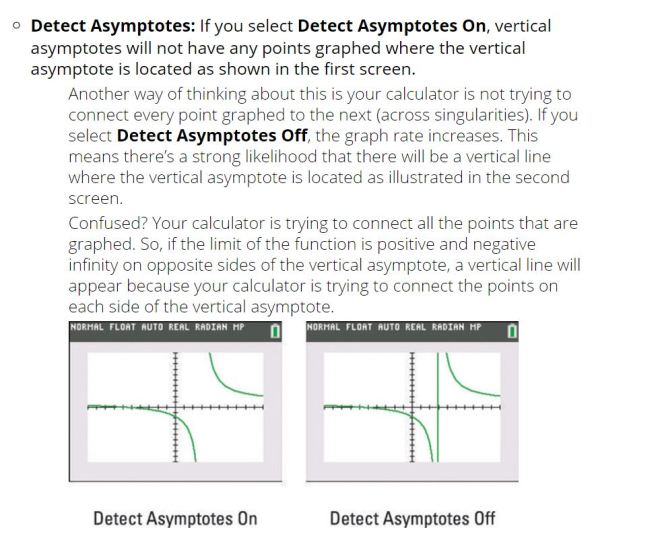
Method 2: Turn off “Detect Asymptotes”
Suppose we want to check whether our answers for the following is correct:

We can use our GC to check as follows:
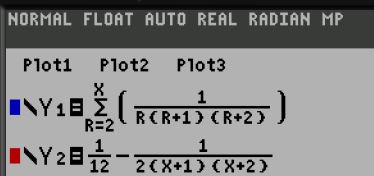
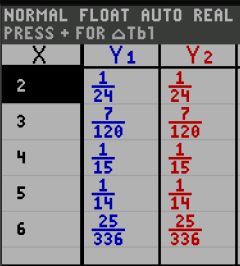
Since both expressions give the same values, the answer is correct.
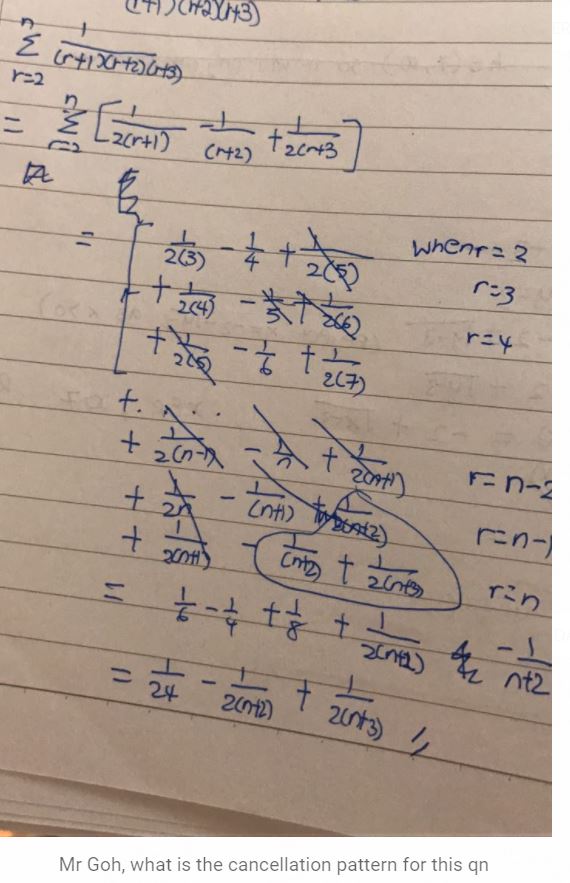
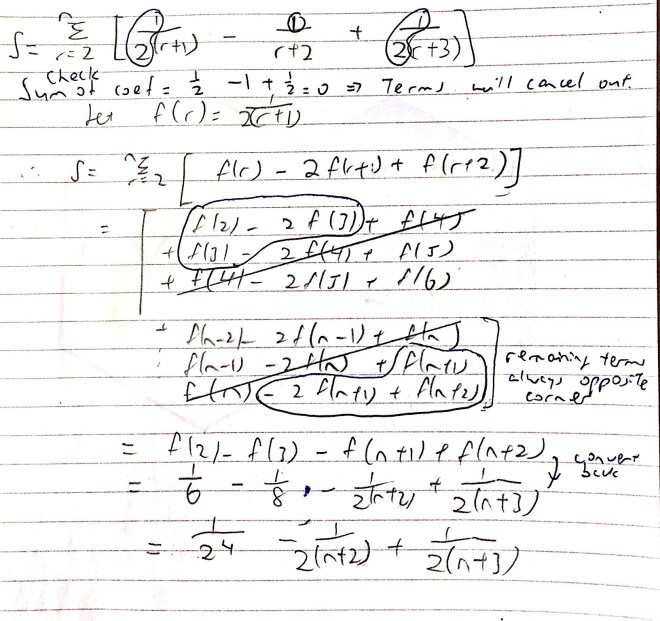
Tips: Write the terms using functions. For bottom rows, write from last row and then write the last 2nd row.
This question was posed by a student.

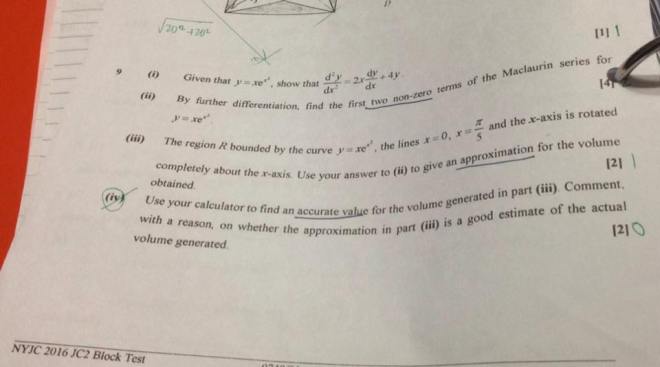
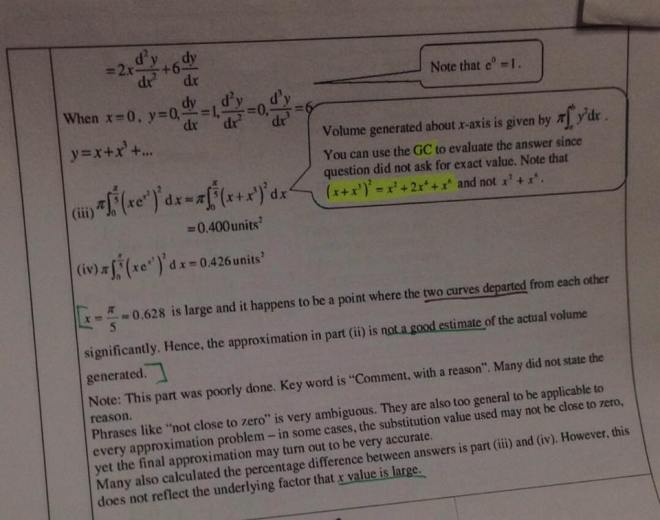
Explanation
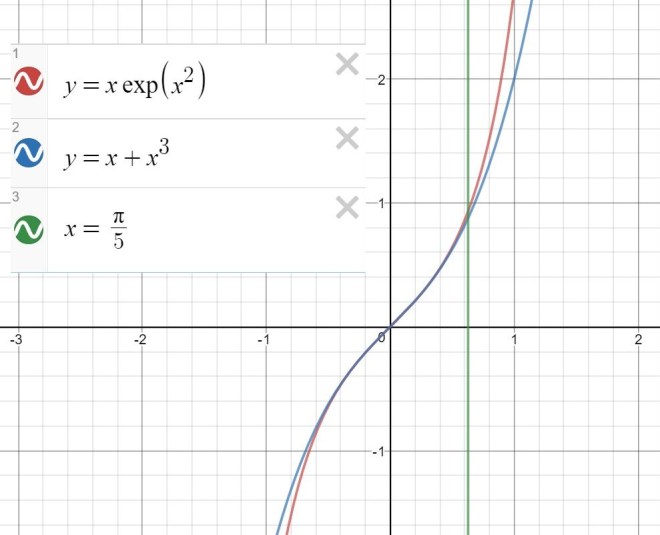
Exact versus approximation. The two curves depart from each other at x=pi/5
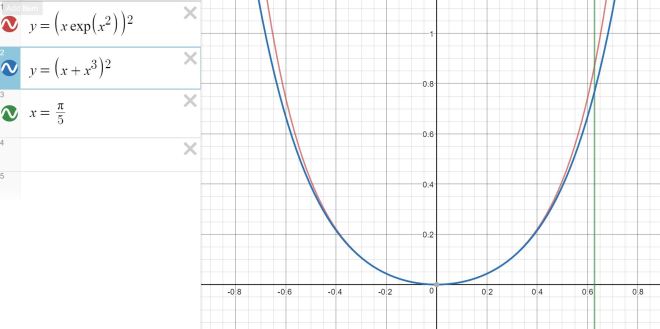
When we use the approximation to compute the volume, it differs significantly from the exact volume.
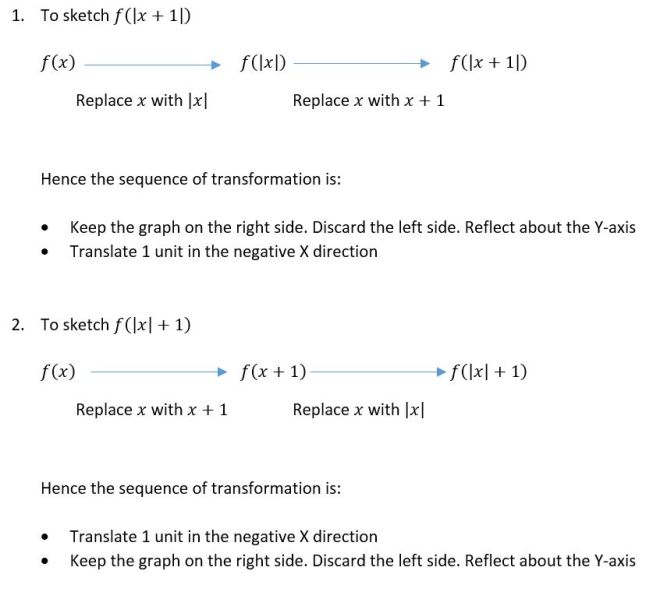
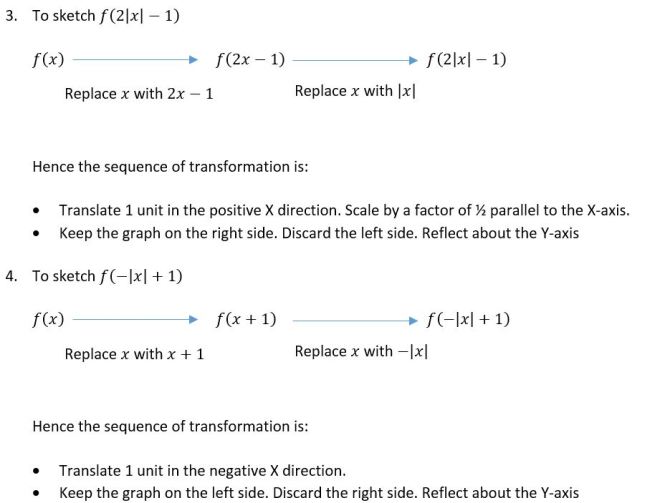
Advanced graph transformation can be done in stages, using the replacement method. Each time, we replace x or y.
In 2013 alevel, factorisation of the difference of two cubes can be used in one of the questions
Here are the formulas students should remember:
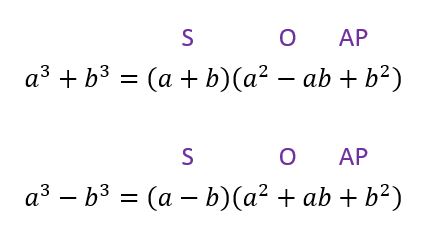
Students can use the mnemonic “SOAP” to help them remember the formula.
S: Same sign
O: Opposite sign
A: Always
P: Positive
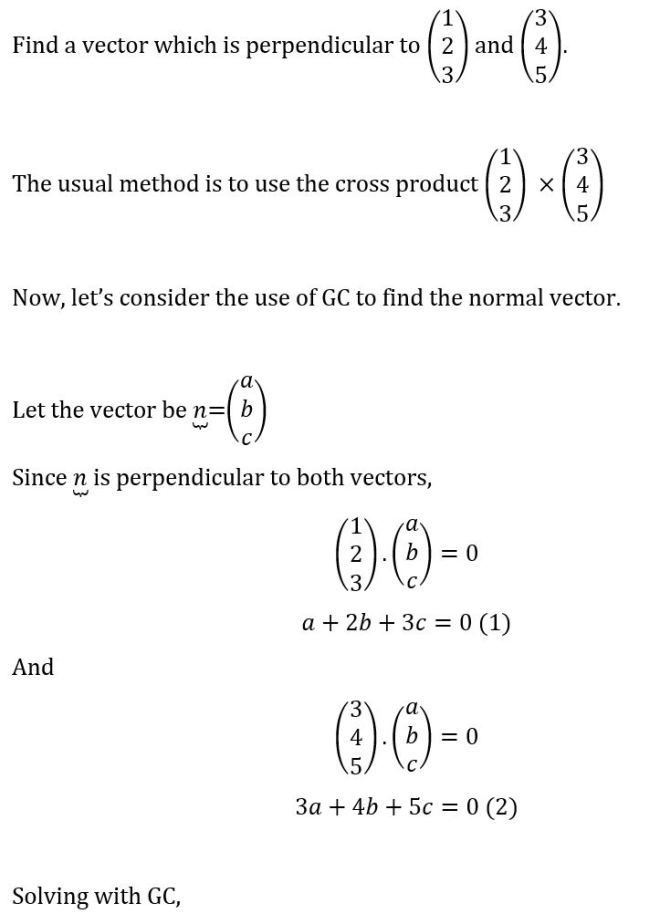
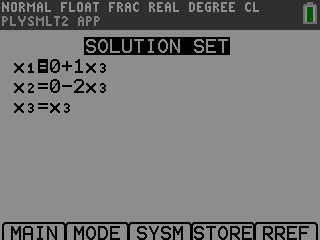
 JC A Level H2 Math Tuition Singapore
You must be logged in to post a comment.